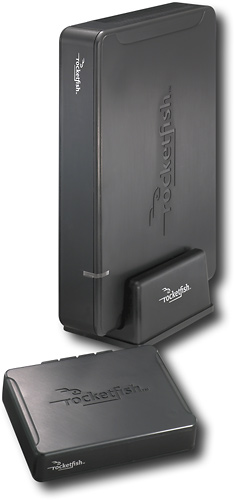
 A few weeks ago, I received a review sample of the RocketFish Universal Wireless Rear Speaker Kit. I’ve spent quite a bit of time with it; here are my thoughts.
For those of you not familiar with the Rocketfish, it is a new brand that is exclusive BestBuy. The products range from cables to computer accessories to flash cards.
The term “wireless rear speaker kit” is somewhat of a misnomer as it does not include rear speakers, but this is obvious at first glance of the packaging or description. The kit consists of two components: a small transmitter unit that is located at the source audio device and the powered amplifier that is located near the two speakers. The big advantage of this product is that you don’t have to run wires between your surround sound receiver and your rear speakers.
 The Transmitter
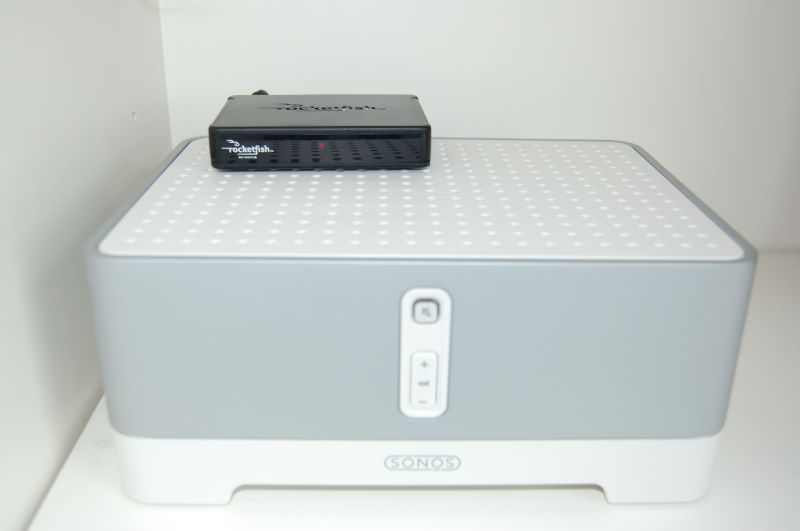
The transmitter is surprisingly small and very easy to connect to any speaker amplifier output. It is primarily intended to be connected to the speaker-level outputs of a surround sound receiver. I, however, decided to instead connect it in parallel to the speaker-level outputs of my Sonos Zone Player. My intent was to run another set of speakers in another room and eliminate the need to purchase an additional Sonos Zone Player.
 I used the included speaker wire the connection process was very quick and easy. Any time speakers are connected in parallel, there is a risk that the amplifier can be damaged because the impedance can drop too low, causing the amplifier to create too much current/power (a 4 ohm speaker in parallel with another 4 ohm speaker results in a 2 ohm load on the amplifier, which can cause it to cook itself.) This is not a concern with the Rocketfish system because the transmitter has an impedance of 6.6 K-ohms (in parallel with a 4-ohm speaker, the resulting impedance is 3.998.) I was, however, disappointed that there was no input for an RCA line-level signal to the sender; that would have been easier and potentially a bit superior in sound quality.
 The Receiver
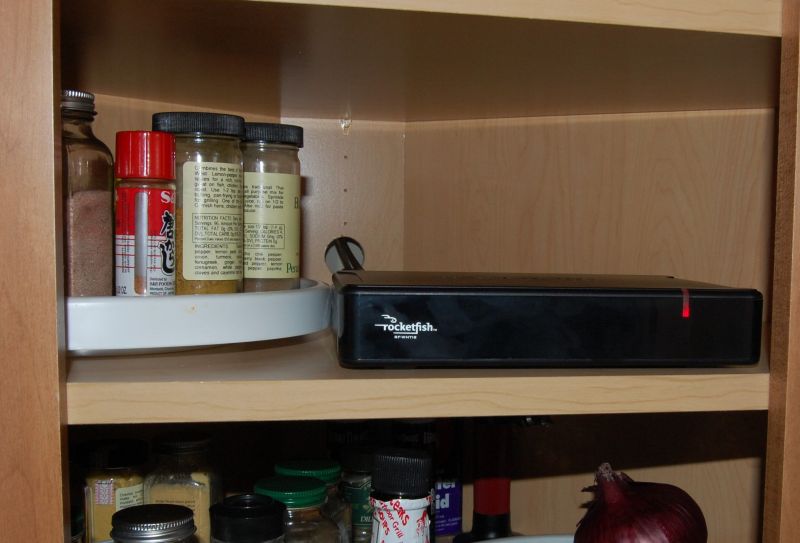
Installing the receiver was just as simple. I attached to a pair of Polk RT/FX surround sound speakers in my kitchen, which is 30 feet from the transmitter with one wall in between. The receiver fit very nicely in the corner cabinet, but the remainder of the included speaker wire was much too short for my setup, so grabbed a spool from my spare cables bin and finished installation.
Pairing the Transmitter and the Receiver
Pairing the two could not have been easier. I turned on the transmitter, hit the Connect button on the back, and the red LED indicator started flashing. I then turned on the receiver, hit the connect button on the back, and the red LED on it started flashing. A few seconds later, both lights switched to solid red and the pairing process was complete. I didn’t even open the owners manual and I had them connected in less than 30 seconds. That’s what I call simple. And I never had to re-pair the two again.
Critical Listening
The PoRT/FX speakers, located on top of the kitchen cabinets, were set to bipolar mode. This setting produces a nice, engulfing ambient sound for the kitchen. The source component (Sonos ZonePlayer 100) was switched on and the results were. . . rather impressive! I was expecting the sound quality to be somewhat compromised but it was full, rich, and as nice as I’ve ever heard from those speakers. 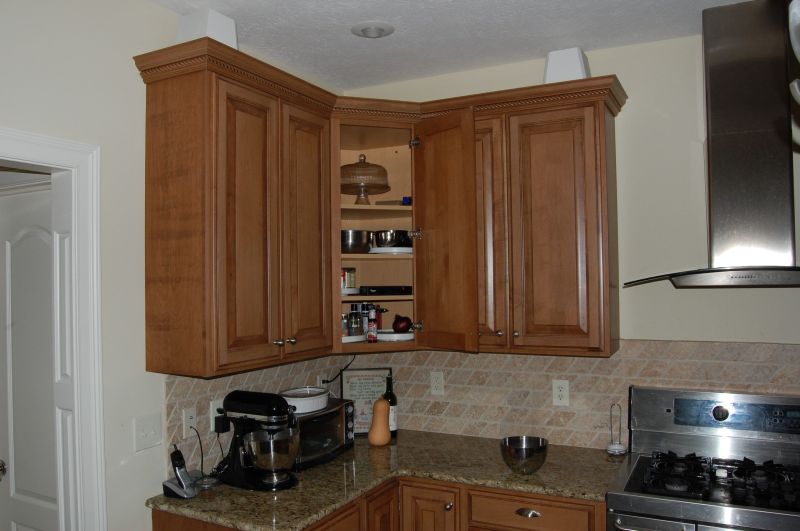 And this was using music as a source, which is much, much more demanding than surround sound content. (Surround sound content has a very compressed dynamic range and is almost always being blended with the sound of the main front speakers.) I dialed-in the volume setting on the Rocketfish receiver and walked between my living room (Infinity RS5 speakers powered by the Sonos ZonePlayer 100) and the kitchen. The two rooms sounded very similar in quality and there was no apparent transmission delay to the Rocketfish receiver.
After spending some time with the system, I did note a few issues. When I leave a component on, I expect it to stay on and I don’t want to have to turn it on after I start a movie or switch-on an album. Unfortunately, when the Sonos goes into standby mode, it switches off the amplifier, which in turn causes the Rocketfish transmitter to shut off, and then the Rocketfish receiver shuts off. The transmitter will turn itself back on, but the receiver will not. In short, you’ll probably need to familiarized yourself with the location of the power button on the Rocketfish receiver; there is no IR remote to turn it on and it powers-off frequently.
The second problem is that I occasionally hear a pop (once every 30 minutes) from the speakers in the kitchen. At first I thought it was the house / kitchen cabinets creaking, but I later determined it was the Rocketfish system. With the receiver off, there were no more pops. My initial guess was that the pops were being caused by interference between the transmitter and the Sonos on which it was sitting; both send signals at a frequency of 2.4 GHz. Unfortunately, unplugging the Sonos did not eliminate the problem. I was going to try relocating the transmitter to a location a little farther away from the Sonos, but that would make the power button much less accessible. Until I experiment more, I guess I’ll have to live with the occasional click and pop.
Final Thoughts
The Rocketfish Wireless Speaker System is very easy to install and it is small an unobtrusive. It provides sound quality that is much better than would be required for any movie surround sound track you’ll come across. It even provides great sound quality for full-range music. The power level is more than adequate for surround sound and for background music, but I wouldn’t recommend it for the two main front channels in your critical listening room. Unfortunately, as with all wireless gadgets, there is a potential for interference from other devices that operate in the same frequency band; you may have to move the transmitter and/or receiver around a bit to find a interference-free location.
At $99, it’s a bargain. Instead of spending hours running wires from one room of my house to the other, I spent about 30 minutes and added music to a second room in my house. Better yet, from a sound quality perspective, you can’t even tell that it’s wireless (as long as you don’t have the problem with the speaker pop that I did.) It’s the quickest and most inexpensive way to wirelessly add a pair of speakers to a remote location.
In the end though, it’s not a replacement for a Sonos ZonePlayer. I was hoping to use the Rocketfish as an additional Zone, but the frequent pops from the speakers were too distracting and hitting the power button too inconvenient. A Sonos ZonePlayer is about 4x the cost of the Rocketfish wireless speaker system, but it performs flawlessly and has independent volume and source material control. You get what you pay for, and the Rocketfish wireless speaker system is the best wireless amplifier you’re going to find for less than $100, or even $200. However, I’d still recommend you run wires if you can. And I’d recommend not trying to use one of these to avoid the purchase of a Sonos ZonePlayer; I swapped a ZonePlayer into the cabinet where the Rocketfish receiver sat it worked flawlessly over wireless.
Pros
- Very small and unobtrusive transmitter
- Horizontal / vertical / wall mounting options for the Receiver
- Stylish black design with all buttons and controls hidden on the back panel and no visible antennas
- Extremely easy setup
- 16-bit, 48 kHz uncompressed audio quality (better than CD quality)
- Transmitter connects to pretty much any receiver or audio device (speaker-level inputs)
- Integrated power cord storage inside the Receiver
- Cool and efficient amplifier with plenty of power for surround sound material and ambient music
Cons
- Does not come in White color option (may blend into some rooms better)
- When power fails, you have to turn both the transmitter and receiver back on (they don’t remember their previous power states)
- No IR input to turn the components on/off
- Operates in a potentially crowded 2.4 GHz frequency band (same as WiF and cordless phones)
- Occasional clicks and pops (transmitter sitting on top of a Sonos Zone Player, which has a WiFi radio; 30 feet distance and a wall between the transmitter and receiver when this happened)
- No RCA line-level inputs on the transmitter
- Does not completely eliminate rear speaker wires (wires between the Rocketfish receiver and rear surround speakers will be visible unless your room has shelving or cabinets that can hide them)
Specifications:
Transmitter: 6.6 K-ohm impedance at 10V RMS; 16-bit, 48 kHz, 1.465 Mbps signal; 15-20 ms signal delay; 100 foot range; 2.4 GHz transmission frequency
Receiver: 87 dB Signal-to-Noise ratio; 0.4% total harmonic distortion at 1 KHz, 25 watts x 2 @ 4 ohms; supports 4 ohm to 16 ohm speakers
MSRP: $99
Rocketfish Customer Support: 1-800-620-2790
Cool. I’ve been eyeballing this system since I have no convenient way to run rear speakers in my living room without running wires into the attic. This sounds like a good alternative.
yea i just bought the rear speaker kit and for some reason it stoped playing when i first hooked it up the sound was quiet didnt really hear much and after a while they just stoped working kinda sucks spending 99 dollars on it and it doesnt work can you give me some feed back on if i should try something with it or a new product intirely
Did you try hitting the connect buttons on both units? Do the lights come on for both units? If you tried this and it still doesn’t work, return it under warranty.
i have lots of problem trying hook up and the system just dunn work at all. The audio breaks are so often.
It is not worth the money and effort.
After installing the Rocketfish, I noticed that my home wireless network, a Lynksys Wireless-G 2.4 GHz, runs a lot slower than it used to, half speed or sometimes less and it’s about 60 feet away from the Rocketfish. My AT&T phone system works fine on 5.8 GHz.
Is there a wireless speaker system that will not interfere with these two products?
If I run wires through the attic instead of using wireless, 50 foot wires will be needed…would this require something to boost the signal on the other end?
Thanks.
Wires are always better than wireless in my opinion. For a 50′ run of speaker wire, there would be no reason to boost the signal at the other end; just hook the wires up like normal speaker wires.
You might try going into the config page of your Linksys wireless router and changing the channel it is is using. 802.11 b/g has 14 different channels, ranging from 2.142 GHz to 2.484 GHz. Hopefully one of these will eliminate the interference.
I too get the popping sound fairly frequently, and a slight humming from the unit. Well, I WAS having those issues…
Tomorrow would be the last day of week 3 since I got this unit. And it’s dead already…. The receiver just wont power up. Worked fine last night, no one home all day, dead when went to use it tonight.
Not a bad sounding product, going to return it though and get something of a higher quality.
I really like the device except I get a constant hiss (not a hum) through the wireless speakers. It isn’t too noticeable when there is a lot of sound coming out but sounds pretty bad when all or most of the sound is coming from the front 3 speakers. This apprears to be a problem other owners have had based on my internet searches. Any solutions would be appreciated.
This is a pretty cool gadget. but it would even better if the reciever pushed to a pair of wireless speakers. with the same plugs for regular speaker wires on the transmitter. that would be even more simple and it would actuall be wireless then. lol anyone find something liks this?
I concur overall with this review, including the occasional popping noise (although I perceive mine to be less often than 30 minutes, perhaps every few hours).
I do not encounter the power problem. My transmitter is plugged into the wall for power, any my receiver goes into standby mode when not in use. The transmitter seems to be constantly powered. When there is a power outage, of course, I do need to manually re-boot/re-power the receiver.
Very different power behavior than Carlton’s unit. Does the receiver automatically go out of standby when the transmitter has an audio signal? I don’t want to have to remember to turn on the rear speakers every time I go to watch a movie or program.
Couldn’t figure out what had happened to our wireless sound system and then I googled and looked at this article. Saw what to do after a power outage, which we had had, and I fixed it. Thanks for your unknowing help. Carol
Hello and thanks!
You foresaw quite well my actual
Issue: I built a wireless sound system with a combination of Bose wireless portable speakers attached to rocketfish transmitters and receivers. The idea was to have sound on different areas of my home, all at about the same db levels and controlled remotely via ir controls. It works! Music source is an iPod “plugged” on the portable Bose and (the iPod) connected to the transmitting Rocketfish.
I have two types of receivers ( rocketfish), non-amplifiers and amplifiers as well for the standard speakers that I’ve own since the 80’s!!
It works!
So far so good…
Now I discovered Sonos…
Ahhh… Totally different way of ambience sound…
So now, I want to have Sonos as the sound source and have the rest of the described system to be attached to the Sonos…
So, how could I connect a Rocketfish transmitter either to the Bridge ( by Sonos) or to the Sonos 100 that I have currently installed at home?
I’ll have to put some curiosity on this…
I got this rocketfish wireless kit AND it is constantly popping and crackling…MAKE IT STOP!!! any suggestion?
Sorry, I don’t have any suggestions. I don’t think they chose the right technology and the poor sound quality is part of the package.