I recently needed to share some open source files via BitTorrent and wanted to host them on my Amazon S3 account. For those of you familiar with S3, here is the short-answer: add ?torrent to the end of the URL of a public-shared file to get the *.torrent file, so the link would be http://s3.amazonaws.com/your_bucket_name/your_file_name?torrent
If you’re new to Amazon S3, read on for more info and detailed instructions.
Why would you want to distribute a file using BitTorrent?
I wanted to do this because, when sharing a file via a torrent, you use less of your Amazon S3 bandwidth and lower your monthly expense. To be more accurate, according the S3 documentation:
The difference is that if a lot of clients are requesting the same object simultaneously via BitTorrent, then the amount of data S3 must serve to satisfy those clients will be lower than with client/server delivery.
I knew it was possible to host a torrent on S3, but wasn’t quite sure how to do it. After quite a bit of searching and reading, I found that it was actually pretty easy to do.
Here are the details on how to copy a file to your Amazon S3 account, make it public, create the torrent seed / tracker, and have Amazon S3 share both the .torrent file and seed the download.
Preliminary Steps for new Amazon S3 Users:
- You must first have an Amazon S3 account
- Secondly, you need a way to create/manage Amazon S3 buckets, so you’ll need to install a client on your PC.
- I recommend using Bucket Explorer, which is a full-featured and easy-to-use client that runs on Windows and Linux; (a Mac version is in private beta and should be available Oct 2007). A free, less-featured alternative is the S3 Organizer add-on for the Mozilla Firefox web browser.
- Install your application of choice and either:
- Open Bucket Explorer -or-
- Open Firefox and go to Tools menu -> S3 organizer, and click the Manage Accounts button
- Enter your AmazonAWS Access Key and Secret Key
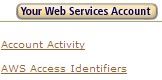
- These are available by going to http://aws.amazon.com, mousing-over the “Your Web Services Account” in the upper right-hand corner, and selecting “AWS Access Identifiers“
![AmazonAWS Your Web Services Account]()
How to Create and Seed a Torrent Download on Amazon S3:
- Create a new “bucket” (a.k.a. folder) by clicking the “create folder” icon in the right-hand panel of S3 Organizer. Note: you must use a unique bucket name; you won’t be able to create bucket if the name is already being used by someone else.
- Upload the file which will be shared into the desired bucket using S3 Organizer
- Make the bucket public read by right-clicking on the bucket name and selecting “Edit ACL”. Select “Read” access for “Everyone”. Note: you may also have to repeat the read access step for each file that is uploaded to the bucket.
- Now that the file is uploaded and shared, it can be downloaded via standard http from the following location: http://s3.amazonaws.com/your_bucket_name/your_file_name .
- Note 1: You can also find the URL by right-clicking the file in S3 organizer and selecting Copy URL to Clipboard.
- Note 2: Unfortunately, the file will always be available via http download, which can be faster than BitTorrent download, but will use more of your S3 bandwidth.)
- Now you want to create the torrent file itself. Just enter the following URL: http://s3.amazonaws.com/your_bucket_name/your_file_name?torrent and the torrent file will be created and you will be able to download it the *.torrent file to your computer.
- You can share this downloaded *.torrent file with others via e-mail, webpage download, etc.
According to this article, you can use Amazon S3 as the torrent tracker only by following the steps above, opening the torrent file on your local PC, start seeding from your local PC, and then remove the original file. S3 will continue to be the (ultra reliable) tracker for the file but you don’t have to use S3 bandwidth to share the file. To save bandwidth usage and prevent someone from going directly to the http download of the file instead of using the torrent download, it’s probably best to download the small *.torrent file and share that with others instead publishing the URL to the torrent file on the Amazon S3 server.
Assuming you have the file being shared stored on your local computer, you can download the *.torrent and start seeding from your local PC without re-downloading (the shared file) from S3, further reducing your S3 bandwidth.That’s it, my start-to-finish guide on how to take a file and share/seed/tracker it via BitTorrent and Amazon S3. If I missed something or if something isn’t clear, let me know in the comments and I’ll fix it.
Great post. Thank you.
I have a dedicated server with me with 1500GB transfer limit. If I want to seed some files, which one is cheaper, Amazon or my dedicated server. I have more than 1000 GB bandwidth unused every month on my dedicated.
Kenney: Amazon S3 costs $0.20 per GB of data transferred. You have a huge amount of bandwidth; that would cost $300/month on S3. Most people don’t have anywhere near that; I have 100 GB/month for example. The real advantage of S3 is that it has unlimited storage capacity and bandwidth. An overage would shut-down your hosted web server, but would not shut down S3. The other advantage is that S3 can track and seed a torrent, and most hosted web servers can’t. The big advantage of S3 and torrents is that Amazon S3 is a super-reliable tracker, and you can unshare the file and use basically no bandwidth to share/seed the file (once other clients have it downloaded.)
For you, with all of that unused bandwidth, you’d have to have a bunch transfer before S3 would make sense for you. I’m not sure if you could use your provider to track/seed a torrent, but you could definitely use it to host the file.
Is it possible to take a file and have Amazon S3 seed for a torrent associated with different tracker. For example I want to seed an ISO for a linux distrobution but they have a tracker up allready how do i add the Amazon s3 location as a seeder
I know of no way to seed a non-Amazon tracker – the two are tied together within S3.
Wow! Thanks a lot. this is what i am looking for
Hey Carlton,
I followed your directions last night and emailed my friend the torrent file. He downloaded it and opened it up just fine. I’m sharing it locally and its still on the server. But, nothing would download.
Is this service down right now?
Could you help me out?
Thanks… =/
Make sure you have the ACL setup properly. Can you download the file from S3 using a standard HTTP connection? If you un-shared the file on S3 so you could seed only with your local PC, maybe it’s not connecting to the tracker on S3 properly.
I can download the file from S3 using a standard HTTP connection.
Can I send you the torrent to see if you can download it? Looking at the details in uTorrent, it seems okay.
Would you like a screenshot?
Thanks for replying so quickly… =)
Thanks for this tutorial. I really need to know – is there a way of having your amazon s3 server seed a torrent for mininova/pirate bay? I don’t know how to add trackers to a torrent downloaded from the amazon s3 server. When I try to upload the .torrent file from my amazon s3 server to mininova or piratebay it doesn’t work. Is there a way to do it somehow?
thanks
ive been looking for something this and im happy i found this site. question though, i can seem to create the torrent file. i keep trying to add the ?torrent at the end of my file and its not working. i enter it into my bittorrent client and it doesnt work, i put the url in my browser and its saying it doesnt exist. can someone help me?
i just need to figure out how to get the torrent made then i can seed it thru bittorrent right?
sory, im a total newbie at this… forgive me
Hey Guys, Perhaps you guys can help. I regularly distribute content for people, like music videos of up and coming bands and singers and also low budget films or films that didnt quite make it to the cinema. I need to help these people get recognised by distributing their content. I already use myspace and youtube but the problem Im having is that is it such a pain to upload torrents to each site. I have maybe about 20 a day and submit to about 15 of the top sites. So you can imagine that its a very time consuming job.
I was wondering if anyone knows of a way I could write all the information 1 time and submit it to all the important sites that way?
Like a bulk torrent uploader or something like that?
Does anyone have any Ideas?
I’d really appreciate it!
Many Thanks Everyone,
Darren Starr
Darren: Instead of uploading the torrent file, could you instead provide a link to the torrent to be downloaded (such as the Amazon S3 link above.) That way, you won’t have to upload anything. They download the torrent from S3, their bit torrent client launches, and the download will begin. Would this work or am I missing something?
Carlton, thanks for the reply, I’ve just seen it only 2 years later! haha. Thank You! Have a Merry Christmas and a Happy New Year!
Hi,
I’m interested in this feature of S3. I’ve been doing some tests. For example, I want to collect stats from the torrent, so I tried editing the .torrent file, adding optional trackers to see if they can collect stats, but it doesn’t seem to work.
Is there any method to collect stats from the S3 torrents?
Thanks in advance
You can enable bucket logging. See this post: https://carltonbale.com/2008/05/9-hidden-features-of-amazon-s3/
Oh, I see.
But I think that’s not what I’m looking for. I intend to collect the stats through torrent scrape into the DB. Then I’d output the data (seeds/peers, etc) like this:
http://www.hg-subs.com/index.php?option=com_torrenttrader&Itemid=3
I’ve been able to collect some data though, using the method I wrote above (editing the torren to use one extra tracker). However, my script is not able to collect those stats.
Maybe I should try using another tracker.
Thanks anyway!
is this still available?
Hi, I am new to torrents and fileshare and I want to be a good seeder what do I need to do? Google has been no help, nor has wiki, it talks about what not to do, but is unclear what to do? do I just leave my isp open? do I need to have bt running? please help. no mocking please unless it is truly original.
Here is a high-level overview. First, you need to install a bit torrent client on your computer. That software and your internet connection need to remain active. If you are sharing more than 1 file, place them in a single zip file. For the file you are going to share, use the bit torrent software to generate a .torrent file; this is the small file others will initially download that allows their bit torrent client to connect to your bit torrent client and then download the original file.
You can “publish” the .torrent file on a tracker or a website if you want it to be publicly available.
Alternatively, you can create an Amazon S3 account, upload the file to be shared to that account, and then use the steps above to allow others to download it via bit-torrent. Unless you have a huge number of simultaneous downloaders, you may be better off just allowing them to download the file directly using their web browser without requiring them to use bit torrent.
If you want more details, do a google search on “how to seed a torrent”.
http://nanotorrents.com try this one.
Thanks for this tutorial. I really need to know – is there a way of having your amazon s3 server seed a torrent for mininova/pirate bay? I don’t know how to add trackers to a torrent downloaded from the amazon s3 server. When I try to upload the .torrent file from my amazon s3 server to mininova or piratebay it doesn’t work. Is there a way to do it somehow?
thx!
Hi, is there any option to make torrent file from folder in bucket?
No, files only. Would have to zip folder contents together and upload.
Hi, Carlton,
I just found this post today (11/21/2011), this is a very good idea. Just wondering as up to now (today), does Amazon S3 Web Services still allow individual user to seed their torrent file(s)?
Thank you very much
I haven’t used it recently, but have not heard of any features being removed.
Hello Folks,
Thanks for the page. I need a way to torrent the file(s) upwards.
We have 4gb backups and I can’t get them to ftp with out fails. (Australia) to our AWS FTP server.
If I could up load using the torrent engine then it would use the torrent process to ensure a valid copy.
Thanks in advance
This post seems to be highly recommended in all my Google searches regarding using BitTorrent to transfer files to Amazon S3. Very good post. Thanks for taking the time. I’m not sure though if I’m understanding it well enough. What I want is to transfer files from my laptop to my S3 server for storage. More like for backups rather than sharing. Can this process work for that as well? I like that BitTorrent saves you money transferring files to S3.
Appreciate your help!
Heidi, BitTorrent is really for sharing files with others. If you want to upload files to S3, BucketExplorer, S3Fox Firefox addon, etc. would be a better solution. If you are just wanting to do backup and not share the files or using them with a web server, Amazon Glacier is better suited for backup. Hope this helps!
Hi, Thanks for the excellent post.
Follow-up question: is it possible to generate a magnet-link to get that torrent from S3?
I have tried generating one using external libraries in node.js – created identical to the magnet links displayed when I click “Copy magnet link” from a Bittorrent client e.g. uTorrent – and it doesn’t download the torrent.
Regular download using the *.torrent file itself does work though.
I must use magnet links for my application.
Appreciate your help!