I created this list because:
- I’m frequently asked for technology recommendations and decided to keep a consolidated and updated list.
- I wanted to speed-up my software download/install process when setting up a new computer.
- I’ve personally tested everything on this list and feel all of it offers the best performance for the price.
- Many of the software products are free and open source; the developers deserve more recognition than I can give them this is a start.
Home Theater Hardware:
- High-End Video Projector: In the $5,000 price range and above, I prefer anything from the JVC D-ILA line. This is what I use at home. JVC offers unsurpassed black levels, good brightness, amazing picture detail. I prefer JVC to similarly priced Sony projectors due to the superior native contrast ratio and better black level that JVC offers.

- Budget Video Projector:
- BenQ HT2050 DLP Projector (if your budge is less than $1,000)
- Epson 5040UB (if your budget is less than $2,500) Home Cinema projector.
- Projection Screen: Sliver Ticket screens offer great performance at fantastically low prices. They produce very similar performance to the Stewart Firehawk screen that I paid almost 8-times as much to purchase. The Stewart is still better, but it’s difficult for me to recommend based on the huge price difference.
- I recommend the white screen to give the best image quality in a perfectly dark room
- I cautiously recommend the silver screen when more brightness is needed (due to low-brightness projector), but these higher-gain screens tend to “hot spot” with a noticeable brigher sparkley spot in the center of screen.
- Purchase the screen in a 16:9 aspect ratio because that matches the native aspect ratio of all projectors. Adding lenses or messing with zooming for each movie or show you watch is more trouble than it’s worth.
- High-end Flat Panel TV: LG OLED TVs offer the absolute best picture quality due to infinite contrast ratio. They’re also impossibly thin.
- Budget Flat Panel TV: TCL 6-series (2018) For around $650 for the 55-inch model, TCL LED-backlit LCD TVs offer fantastic performance. They have Roku as the built-in user interface, which is better than pretty much every other TV user interface option, and also support HDR10 and Dolby Vision. For the price, the can’t be beat.

Subwoofers: Subwoofers completely transform the movie-watching and music-listening experience. Aside from the front left/center/right speakers, subs are the most critical components of a speaker system. Subs can also be very difficult to properly setup, because low frequencies have very long wave lengths, which result in standing wave patterns within a room as the sounds reflect off of the walls. The results is that some frequencies are very loud at one seating position and very quiet at another. With subwoofers, the room is a critical component of the speaker, and you need to match the sub to the room. Here’s what I feel are the 2 essential steps for great sub performance:
- Use at least 2 subs placed in opposite corners of the room
- Use a receiver with room correction (such as Audyssey XT32 or Anthem Room Correction – see below for receivers)
- Budget Subwoofers (smaller rooms): Remember that 2 subs significantly improve subwoofer sound quality throughout a room. It’s often better to 2 budget subs that it is to have 1 higher-end subwoofer. A pair of BIC America F12 Subwoofers ($220 each) will give very strong performance for a reasonable price.
- High-End Subwoofers (larger rooms): SVS Subwoofers are amazing. They have some really great software config and turning options. They also offer free shipping and free return shipping. I recommend the two of the SB16-Ultra models for the ultimate subwoofer setup. Power Sound Audio subs and have nearly the same performance as SVS, fewer electronic setting options, and a lower price. HSU Research is a another brand to consider.

- DIY Subwoofers: If you have the time and skill, you can build an amazing subwoofer system that surpasses commercial offerings, but they require building large or special enclosures. Infinite Baffle subwoofers offer the best low frequency response; Horn-loaded subs offer the highest output (highest efficiency.) Here are details on my Infinite Baffle subwoofer installation.
- Front Left/Center/Right Speakers: There are many brands of speakers that produce a natural, neutral sound that works extremely well for home theater. If you have a small, enclosed room, bookshelf speakers are all you need as they can sound just as good as towers. If you have a large room, tower speakers will play at the higher volume required to fill the space. Here are some brands I recommend considering:
- RBH Sound: These are probably my favorite speakers overall. Great performance across all of their speaker line. Available online from their website.
- SVS: They make more than just great subwoofers. The Prime speakers are fantastic for the price, the Ultra series sounds even better. They are available internet direct from their website – plus they have free shipping and free return shipping – you have no excuse not to try these out in your listening room.
- KEF: The KEF Q-series of speakers are another fantastic option. They have several other speaker lines the cost significantly more; the Q-series is much more affordable and offers most of the performance of their higher-end lines.
- Aperion Audio: The guys at AV Rant keep talking about how great these speakers are. Like SVS, they offer free return shipping. Why wouldn’t you try them out?
- Favorite Retail Brands: Paradigm and B&W are two of my favorite retail brands. You can’t go wrong with them. I’m not sure they offer the price/performance ratio of the other alternatives listed above. If you want to listen to speakers in a retail store and purchase them at a retails store, you can’t go wrong with either or these options.
- Surround Sound Speakers: For home theater, don’t waste your money on premium surround sound speakers! They play ambient sounds and are positioned behind and/or above you. Cheap speakers sound just the same as extremely expensive speakers. It doesn’t matter if your surrounds are the same brand as your front speakers – you don’t need to timbre-match surround sound speakers. On-wall speakers are great if you don’t mind seeing the speakers and you don’t want want to cut holes in your walls or ceiling. Beale Street Audio are a great in-wall/in-ceiling option because they include integrated baffle boxes that keep the sound from propagating behind the drywall to adjacent rooms.
- Home Theater A/V receiver: The latest and highest-end Denon Receiver. Due to the continual progression of technology, pretty much any receiver you buy is going to sound equally impressive as any other. There is no longer any need for separate external amplifiers; all amplifiers sound fantastic. The only differentiator between receiver options is the list of features it supports. These are the features that I think are most important:
- Brands: Option 1: Denon and Marantz are same company and the receivers are essentially the same between the two; get which ever one is the better price. Yamaha is a also a very strong option, but generally costs slightly more vs. comparable Denon offerings. Onkyo and Pioneer are the same company, but I think you’re better off with either Denon/Marantz or Yamaha. Anthem AV is the best upgrade option.
- Room Correction: Don’t buy a receiver that doesn’t have room correction – it delivers significant improvements in bass reproduction. Audyssey MultEQ is a the minimum starting point, but I think Audyssey MultEQ XT32 is much better. Anthem Room Correction is the best room correction software available. If you can afford an Anthem receiver, it will deliver results that surpass XT32 – it’s what I use in my home theater.
- High Dynamic Range Color (HDR): Make sure the receiver supports the pass-through of High Dynamic Range color. HDR10 and DolbyVision are the two HDR specs you should target. So HDMI 2.1b or higher spec.
- Dolby Atmos and DTS-X Height Speakers: These two surround sound formats add ceiling-mounted height speakers to the tradition 7.1 speaker setup, which consists of front left/front center/front right + side left/right surround + rear left/right surround + subwoofer. In my opinion, you don’t get a huge amount of benefit from the height speakers. A receiver that supports these formats is nice to have, but I don’t think it’s worth the upgrade alone.
- 4k Resolution Support: 4K doesn’t offer nearly as much of a picture quality benefit as does HDR. but 4k is required to get HDR color.
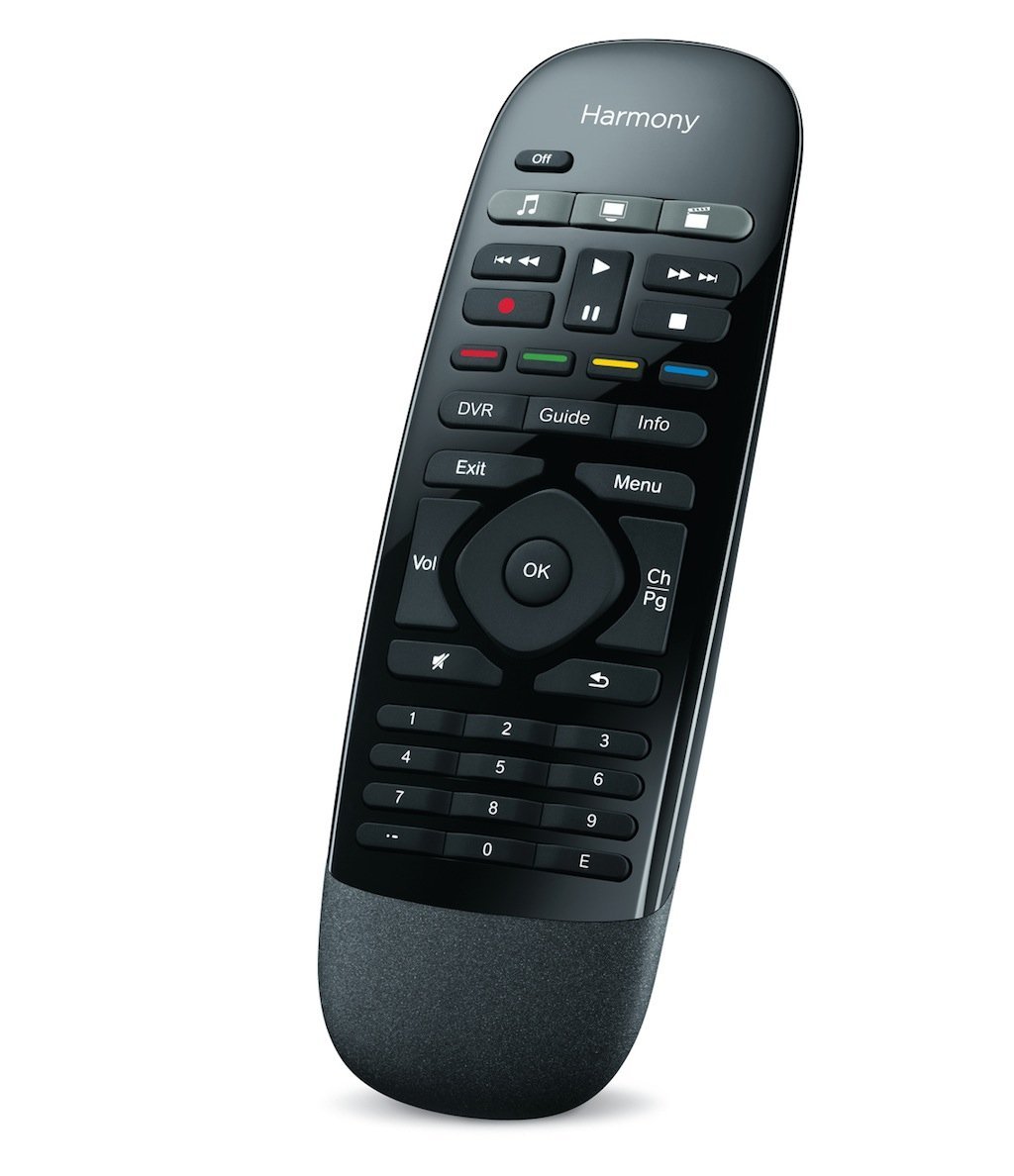
- Universal Remote Control: Logitech Harmony One Ultimate. I like that it is a remote with physical buttons that click, has an RF base station so you don’t have to aim it at components, and it also has an iOS/Android app that offers the same features as the dedicated remote.
- Surge Protection: Surge X is now the brand I recommend due to having the best surge suppression technology. But I’m still not convinced they are worth the price.

- Home Network Music Player: Sonos Music Player because it is so simple to use, has every feature you could want, works with every music service out there, and sounds fantastic.


- DVR / Movie Player: After years of After years of building my own PC-based solution, I’ve given up. It’s hard to beat an nVidia Shield TV running Plex Media Server and recording from the antenna using a SiliconDust HDHomerun Connect tuner.
![Plex Media Player]()
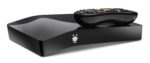
- Stand-alone Digital Video Recorder (runner-up): TiVo Bolt+ and TiVo Mini with off-the-air antenna. It just works. The advanced features that SageTV has simply aren’t there; very little functionality has been added over the past few years. But if you just want something that works and records your TV, TiVo is hard to beat.
![TiVo Bolt Plus]()
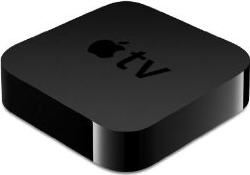
- Stand-alone Digital Media Player (runner-up): The Apple TV 4k is now my preferred media player because it supports Netflix, Vudu, Amazon, and Hulu as well as HDR and native movie frame rates.

- Stand-alone Digital Video Recorder (runner-up): TiVo Bolt+ and TiVo Mini with off-the-air antenna. It just works. The advanced features that SageTV has simply aren’t there; very little functionality has been added over the past few years. But if you just want something that works and records your TV, TiVo is hard to beat.

Mobile Phone:
- Apple iPhone or Google Pixel: I recommend the simplicity, security, and integration of the iPhone vs. the flexibility and variation of the Android phones. I carry both, and you can’t go wrong with either.
![Apple iPhone 7 Plus]()
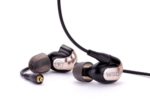
- Cored Headphones: I finally purchased a pair of Westone W5 balanced armature in-ear monitors after years of longing. They produce the most amazing sound I’ve every heard. They are extremely efficient and don”t require a separate amplifier to produce adequate volumes. Plus, the cord has a microphone and track/volume control buttons. For serious music listening, there is no substitute.
![Westone W50 Headphones]()
- Completely Cordless Headphones: When it comes to exercising, I don’t like cords and I’m willing to sacrifice sound quality. Bragi The Headphone is the best option I’ve found so far, but I can’t recommend them without reservation. The battery life is solid at 4+ hours and the signal is steady, but the left bud seems to discharge if left setting. The sound quality is OK. The ability to pass-through external environmental sounds is useful.
![Bragi The Headphone]()


General Computer Hardware:
- Home Network Router: Eero is what I recommend for most people due to it being so easy to use. But if you don’t mind spending time learning how to do configurations, Ubiquiti Unifi access points and edge routers are the way to go and are what I personally use.
- General User Laptop: Apple MacBook Pro. I currently use a 13-inch Space Gray touchbar model.

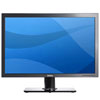
- Computer Monitor: The largest Dell LCD widescreen you’re willing to afford. I currently use a Dell Ultrasharp 4k 27-inch monitor.

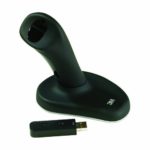
- Ergonomic Mouse: I recommend this only if you have wrist/joint pain in your hand! 3M Wireless Ergonomic Optical Mouse (medium/large hand size, small hand size)

Digital Camera / Photography Hardware:
- Daily Use Digital Camera: I hate to say is, but I use my Apple iPhone as my primary camera. It’s always with me and it’s easy to use. My D-SLR takes better pictures, but it requires more work to process them. For that reason alone, I use my iPhone more than any other camera.
![Apple iPhone 7 Plus]()
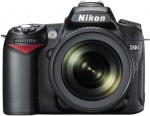
- High-end Digital Camera: Any Digital SLR is almost certain to be an improvement over other options. I full-frame Nikon with the SnapBridge app transfer images to your smartphone via Bluetooth is what I with I had, along with a super-fast prime lens, wide angle lens, and zoom lens.

Nice site- ran into touble with a new remote and your site googled in. Can’t get the Dish reciever code – suggestions?(have 3 recievers,each reprogramed w/seperate 2 digit code)
Also unable to decrypt Descent- do you use VobBlocker?
Where is DVD Profiler – is it still freeware?
You must use some sort of backup/network server- interested in what you use.(running my 2nd Buffalo NAS).
Sorry for so many qustions – very similiar interests, not many resources. Also a diver. Frank
Frank: I recommend using AnyDVD to decrypt/backup movies. It is update very frequently (at least once a week it seems.) If you have a problem with a DVD, the developer will work with you get the problem figured out and release a new version.
DVD Profiler is still available as freeware, although I recommend upgrading to the commercial version. http://www.intervocative.com/Downloads.aspx
My file server is also my desktop PC. I’m running Ubuntu Linux 6.10 and have a 12-port Areca hardware RAID card, currently with five 500GB Seagate SATA hard drives. I was using Windows Server 2003 but recently converted over to Linux and have been very please with the improvement in file serving and stability.
Great to hear from another diver! Unfortunately, it’s been almost a year since I was under water. . .
Carlton,
Great site. I congratulate you for the time you take to reply all comments. I read most of you articles and enjoyed them a lot.
Regarding your technology list, I’m surprissed I’ve not seen a media center extender or any other device capable of feeding your HDTV from programs stores in your computer, I was hoping to get some advice as I need to buy one. I’ve tried the Buffalo LinkTheater DVD but I’ve sold it because it didn’t pleased me the software nor the video quality.
Regards, MS
Marcelo: I feed my home theater projector with a computer running Windows Media Center. I have a Linux-based server that stores all of my media (currently 2.5 TB worth.) I also have an Xbox that has been modified to run third-party software and I use Xbox Media Center to play movies / music on my other TV. This takes a lot of work but the results are fantastic see this thread on AVS Forum for more details.
If you are looking for a device you don’t have to spend too much time to configure or modify, I’d suggest looking at a TviX from Dvico. The M-5000 model is the best media extender out there from everything I’ve read – and I’ve read quite a bit. If you can wait a couple months, the M-4100 and M-5100 models will be out and they offer about everything you could possibly need: H264 codec support, HDMI audio/video output, and SATA drive support.
The Apple TV is another alternative, but I don’t recommend it unless you plan to modify it. Out-of-the-box, it only supports some very specific Apple file formats. Support for other formats can be added but you have to do quite a bit of modification (remove hard drive, install special software, etc.)
You might want to spend some time on the AVS Digital Media Servers & Content Streamers forum to get more opinions. Hope this helps – enjoy!
Following on the previous comment . . .
Yes, the TVIX Box is a simple digital media solution. I work for TVIX Box and we have been selling a lot of these units for the past couple years. They keep getting better and the feedback has been great. Here is the real simple breakdown:
1) TVIX Box M-3100: This player is NOT HD and is NOT networkable, but if you want to get your digital media to your TV with out a lot of investment or hassle, this is the way to go.
2) TVIX Box M-4000: This has all the same specs as the 5000 mentioned above which has been the gold standard for about a year now, but it is about 100US less, due to recent manufacturing innovations. It is HD and has a built in Ethernet as well as optional Wi-fi access.
3) TVIX Box M-5000: Same as 4000, but in an innovative cylindrical shape and about 100US more.
4) TVIX Box 4100 and 5100 series: Not yet available, but all the features of the 4000/5000 plus 1080 support and H.264.
Good Luck!
Paul
TVIX Box Multimedia Players
HI
Great site and I love the technology list, especially the photography and software sections (there are a few there I will be taking a closer look at.
As for the photography, I have a Nikon D70s and its a superb piece of kit and travels everywhere with me. I also bought a Digital Frame recentlyfrom these guys http://www.udiggit.com I ended up buying a 15″ Acrylic one from their Pictorea Ramge and so far have found it very easy to use and displays my photos a treat.
Andy
Is this list up-to-date. I just want to be sure because I noticed your last post was in 2007. Thanks!
Yes, it’s up to date. The footer at the bottom of the page indicates the date of last modification, which was 18-Sept-2008 as of today.
Hi Carlton,
I just somehow ended up on your blog and really impressed with it. Coincidentally, I am going through the same phases you went through. I did comp sci, and have been working in a telecommunication industry for the past 5 years, and now feeling the itch to pursue my MBA, and also will be setting up my first Home theater in a new house. Love the technology list, and after reading numerous forums, my head is starting to spin, so your website is a sigh of relief. Great site
Hi,
I am looking for a Philips 9FF2M4 digital photo frame but am currently struggling to find one anywhere, or to find anywhere that has a good review. Do you know anywhere you can point me to that will provide one of these please?
Many thanks
eBay is great for discontinued products.
Hi Carlton,
I love your home-theater setup, it looks great! Actually, my friend and I decided to invite ourselves over for a movie weekend. We figure, start out friday with a Star Wars maraton. Saturday we do Terminator and Transformers and Sunday with a Harry Potter maraton.
Oh, what’s that, you’re not in Europe? Too bad, rain check then, I suppose 🙂
Carlton,
Great site! I found it (like others, I daresay) doing research on building a theater.
I have downloaded and installed My Movies to play with, but do not have a media extender for it at the moment. I actually stream all my media from my main PC downstairs to my PS3 using a program called PS3 Media Server…go figure.
My question for you (I have many, but will only post 1 for now) is this: When you rip a DVD or Blu Ray, what format are you ripping to? My thought is that when running through a 1080p projector, a low quality file will look absolutely horrendous, but doing a full quality rip – particularly on BR – is going to make for some huge files.
Thoughts?
Thanks!
Keith
Keith,
I’m a purist and want the best picture quality, sound quality, and all of the menus and features on the original disk. So I don’t transcode to a different format or container.
I copy from the original disk to folders. DVD are in MoviesTitlevideo_ts structure and Blu-rays are in the structure MoviesTitleBDMV and all of the files from the original disc are within these folders.
The downside is that most media players don’t support this playback structure. Windows Media Center PCs do (Arcsoft Total Media Theatre is required for blu-ray playback.) The Popcorn Hour C-200 also supports both formats. But you’re out of luck for Xbox 360 or PS3 support.
The Collection Management application within My Movies is the best I’ve found for providing the correct cover art, movie details, and other metadata.
What if any addins do you use for WHS?
The Windows Home Server Add-Ins I’m using are Windows Home Server Disk Management, Keepvault Backup, and My Movies for Windows Home Server. I’ve tried a few others but didn’t find them useful enough to keep.
Instead of enabling remote access the WHS console, I installed LogMeIn to allow access to everything (desktop and therefor console as well.)
Hi,
I am looking for a way to connect my HTPC by wifi (802.11G/N) to distant Speakers.
The solution can be either a 802.11G/N Audio amplifier that will be connected directlly to the speakers, or prefrably some kind of small module attached to the speakers with power supply, streaming the music from the computer via 802.11G/n
Ideas?
Sorry, I don’t know an exact solution for you, but can give you places to start looking. I think the Apple AirTunes/Airport Express has been hacked to add features, and may do what you’re looking for. Another option might be a Logitech Squeeze Box or Sonos set to stream the live input. There are also IP speakers that might work, but I think most are not wireless: http://en.wikipedia.org/wiki/IP_speaker
Here’s a list of other gear I like, but don’t list on this page:
Windows Computer Software
Backup:
Web Browsing/Email:
General:
Music:
Video:
Pictures:
Utilities:
Web Applications
Web/Server/Developer Tools
External References
7 Taskbar Thumbnail Customizer
Great site. Just wondering if you could offer a little info about the rack system that you have set up…
1) where did you get it
2) how is the equipment cooled
3) recommendations on setting it up
4) etc.
Thanks,
Charles
Carlton,
Basement home theater room with no ambient lights. The room is 19 x 14 and I’m installing an Epson 8700UB. I’m going to go with a 110″ screen and I’m wondering if I need High Def Gray or Bright White. Most viewing will be sports and movies. Your insight is appreciated.
Purists say to go with a white screen. Most newer projectors don’t need the black level boost from gray screens, so I’d say white is your best bet.